
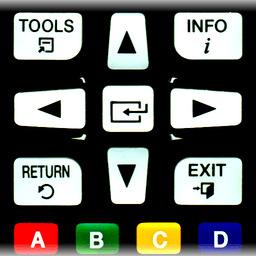
Screenshots
О Пульт для Samsung TV | Smart и WiFi Direct
Управляйте своим Samsung Smart TV удаленно с помощью телефона или планшета с приложением "Пульт для Samsung TV | Smart и WiFi Direct". Это приложение превращает ваше Android-устройство в беспроводной пульт дистанционного управления, позволяя вам управлять телевизором из любой точки вашей домашней сети без необходимости в физическом пульте.
Совместимость охватывает широкий спектр моделей телевизоров Samsung. Независимо от того, владеете ли вы телевизором C-серии 2010 года с функциями Internet TV, моделями D-серии или E/S/H-серии 2011–2012 годов с AllShare Smart TV, F-серии 2013 года или более новыми моделями K-серии Tizen с 2016 года и далее с управлением MultiScreen Smart TV, это приложение обеспечивает бесперебойное подключение. Каждая модель требует определенных шагов настройки — обычно включения "Пульта дистанционного управления" в меню или системных настройках вашего телевизора, или настройки вашего телефона как разрешенного устройства в настройках AllShare или Mobile Device Manager.
Процесс настройки прост. При первом подключении ваш телевизор отобразит сообщение с подтверждением, запрашивающее ваше согласие на подключение устройства. Просто подтвердите на экране телевизора, и вы готовы к управлению. Если вы изначально отказались, вы всегда можете изменить свой выбор позже, перейдя в меню "Сеть" или "Экспертные настройки" вашего телевизора. Приложение запоминает ваши предпочтения после авторизации.
Одно критическое требование: ваш телефон или планшет и Samsung TV должны быть подключены к одной и той же локальной сети — будь то через WiFi или LAN. Это локальное сетевое подключение обеспечивает надежное управление без задержек и является essentiel для работы приложения. Пока оба устройства используют одну сеть, вы получаете удобство управления телевизором с дивана, из спальни или из любого другого места в вашем доме, не ища пульт.
"Пульт для Samsung TV | Smart и WiFi Direct" работает исключительно через вашу домашнюю сеть, предоставляя вам прямой контроль без облачных зависимостей. Приложение разработано независимо и не является аффилированным лицом или одобренным Samsung. Если вы столкнетесь с проблемами совместимости с вашей конкретной моделью телевизора или телефона, поддержка доступна через прямой контакт с разработчиком.
Плюсы и минусы
Плюсы
- Works with a wide range of Samsung TV models from 2010 onwards
- Simple setup process with on-screen TV confirmation for authorization
- No cloud dependency—control works reliably over local network only
- App remembers your preferences after initial pairing
Минусы
- Requires phone and TV to be on the same local WiFi network
- Setup varies by TV model and may require navigating TV menus
- No affiliation with Samsung means limited official support or updates
- Older Samsung TV models may have compatibility issues or require specific settings
Похожие приложения

HWiNFO
Hardware monitoring for Windows—track CPU temp, GPU load, fan speed, voltage in real time.

TransMac
Read Mac drives and DMG files on Windows. Access APFS/HFS+ storage and create disk images.

Advanced SystemCare Free
System optimization tool: clean, repair, and secure your PC. Remove malware, fix errors, and boost performance.

Display Driver Uninstaller (DDU)
Driver uninstaller for GPU and audio — removes residual files for clean Windows updates

Glary Utilities
PC maintenance and optimization suite — clean, repair, and speed up your Windows computer in one action.

Universal ADB Drivers
Драйверы ADB для Android: Подключайте любой смартфон к ПК с Windows без ПО производителя.
Latest Articles

Best OOC: As melhores alternativas de The Playable Anime em 2026 (testamos 7)
Jul 29, 2026

Os melhores jogos como Disney Twisted-Wonderland no Android em 2026 (testamos 7)
Jul 28, 2026

Os melhores aplicativos de produtividade integrados do Windows que você provavelmente está ignorando (2026)
Jul 28, 2026

Melhores RPGs de fantasia épica ao estilo Mistborn para desktop em 2026 (7 para jogar enquanto aguarda)
Jul 28, 2026

Melhores jogos VR aconchegantes para desktop em 2026 (7 testados em Quest e Index)
Jul 28, 2026